Flight Plan Detail
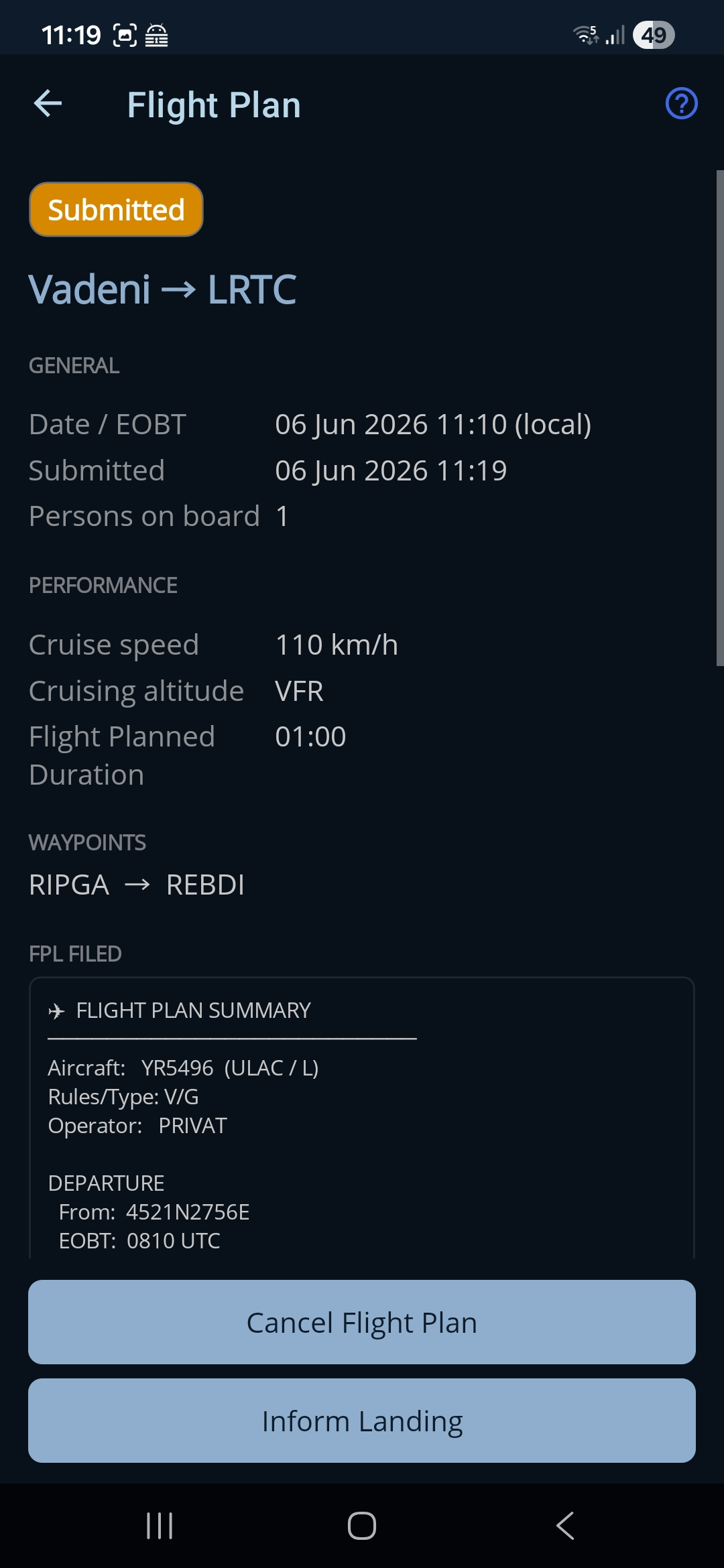
Un rezumat, doar de citit, al unui singur plan de zbor, plus acțiunile pe care le poți face cu el. Ce poți face depinde de starea planului — o ciornă poate fi modificată sau depusă, iar unui plan depus i se poate anula sau confirma aterizarea. Tot ce este deasupra mesajelor depuse descrie zborul și se citește la fel, indiferent cum ai depus; jumătatea de pagină care ține de depunere se schimbă după autoritatea la care a ajuns planul.
Cum ajungi aici: apasă orice plan din lista Flight Plans.
Apasă iconița de ajutor (?) din bara de sus ca să arăți sau să ascunzi indiciul de pe ecran.
Rezumatul
În capul paginii se văd o etichetă de stare colorată și ruta. Sub ele sunt secțiuni care apar când au conținut:
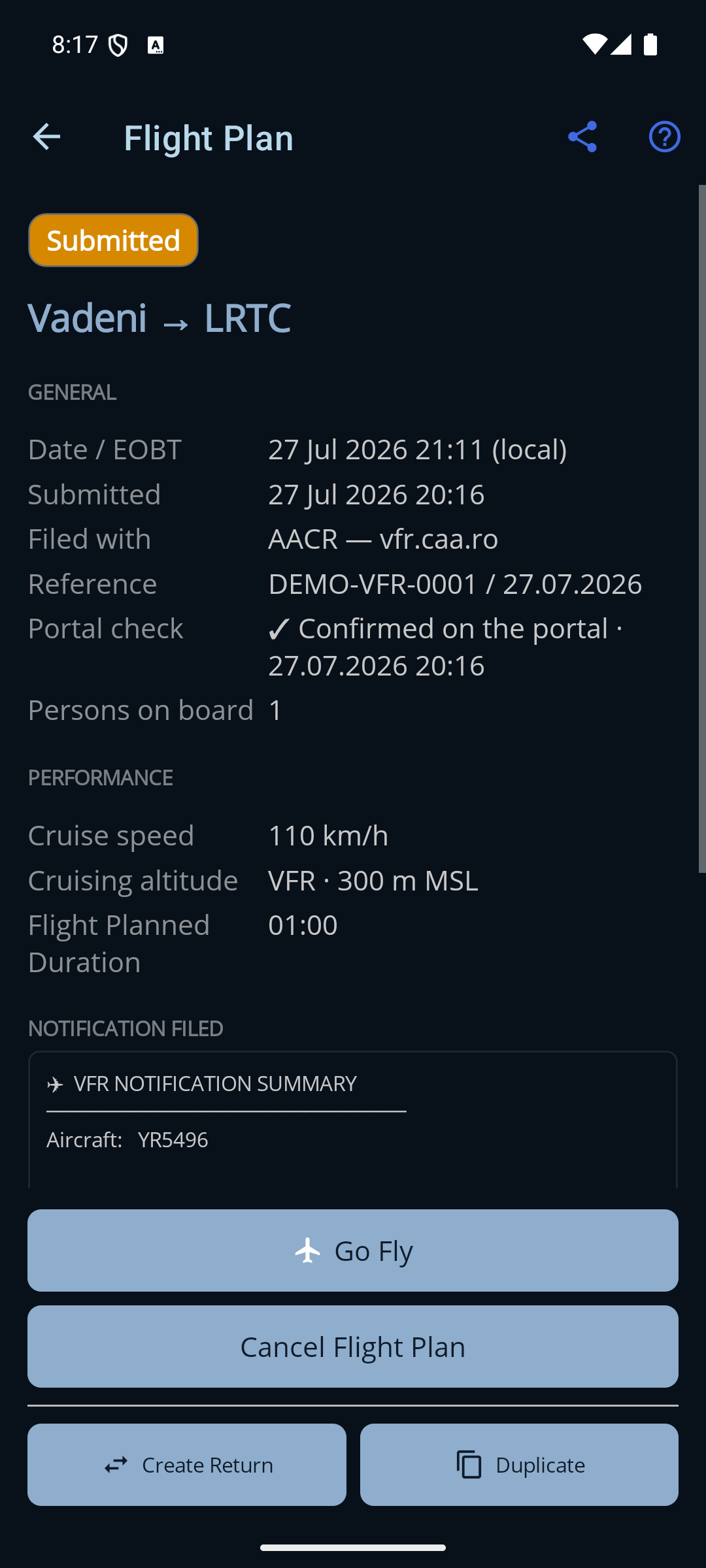
- General. Data și ora plecării de la locul de staționare, persoanele la bord și — când este cazul — când a fost depus planul, când s-a aterizat sau când a fost anulat. După depunere apar aici încă trei rânduri: Filed with, Reference și (la planurile AACR) Portal check — vezi mai jos.
- Performance. Viteza de croazieră, altitudinea de croazieră, durata planificată și (după aterizare) durata reală.
- Waypoints. Punctele intermediare de pe rută, dacă există.
- Remarks. Notele pe care le-ai scris pe plan.
- Mesajele depuse. Textul exact care a fost trimis, arătat după depunere. Titlurile depind de locul unde a plecat planul: un plan ROMATSA arată FPL Filed / ARR Filed / CNL Filed (planul de zbor ICAO, mesajul de sosire și anularea), iar un plan AACR arată Notification Filed / Landing Reported / Notification Cancelled.
Unde a fost depus planul
Un plan de zbor poate fi depus la una dintre cele două autorități (vezi alegerea locului unde depui), așa că un plan depus ține minte la care dintre ele:
- Filed with. ROMATSA sau AACR — vfr.caa.ro. Se fixează în clipa depunerii și nu mai poate fi schimbat niciodată — închiderea sau anularea se întorc mereu la aceeași autoritate.
- Reference. Cum îi spune acea autoritate depunerii tale: numărul de depunere de la ROMATSA sau numărul notificării AACR, în forma în care îl arată portalul însuși, număr / dată.
- Portal check. Imediat după depunere, aplicația caută planul în sistemul
autorității și scrie ce a găsit: ✓ Confirmed on the portal, cu ora
verificării, ⚠ Not found on the portal sau Could not be
checked, dacă aplicația nu a putut ajunge la portal. Rândul este verificat din nou
(și rescris) când raportezi aterizarea sau când anulezi.
Rândul acesta nu apare deloc la planurile ROMATSA — ROMATSA nu publică o stare a depunerii pe care aplicația să o poată citi, deci nu are ce raporta. Tot de aceea, la o depunere la ROMATSA ți se cere să confirmi tu însuți.
Acțiuni
O bară din josul ecranului arată doar acțiunile permise pentru starea de acum:
- Go Fly. Deschide harta din timpul zborului. (Ciorne și planuri depuse — este primul buton din bară.)
- Edit. Deschide planul în formular, ca să îl modifici. (Doar ciorne.)
- Submit. Te întreabă la ce autoritate depui, apoi depune planul. (Doar ciorne.)
- Delete. Șterge ciorna de pe dispozitiv. (Doar ciorne.)
- Cancel Flight Plan. După o confirmare, anulează planul depus, la autoritatea la care a fost depus — un mesaj CNL către ROMATSA sau o anulare pe vfr.caa.ro. (Planuri depuse.)
- Inform Landing. Spune autorității că zborul s-a încheiat — un mesaj ARR către ROMATSA sau un raport de aterizare pe vfr.caa.ro — iar planul trece în Landed. (Planuri depuse și numai după ce a trecut ora planificată de plecare — un zbor care nu a decolat nu a aterizat. Fă asta doar după ce ai aterizat cu adevărat.)
- Create Return. Construiește o ciornă nouă pentru drumul de întoarcere — plecarea și destinația schimbate între ele și punctele de pe rută puse în ordine inversă. (Mereu disponibil.)
- Duplicate. Copiază planul acesta într-o ciornă nouă, pe care o poți ajusta și depune. (Mereu disponibil.)
Odată ce un plan este Landed sau Cancelled, este încheiat — autoritatea nu mai are nevoie de nimic — dar poți folosi în continuare Create Return sau Duplicate ca să pornești de la el un plan nou.
Trimiterea rutei mai departe (Export GPX)
Iconița de partajare din bara de sus exportă ruta planului ca fișier GPX, pentru alte programe de planificare (de exemplu SkyDemon). Deschide o fereastră mică, cu două variante — Send To (dai ruta direct altei aplicații) și Save GPX file… (o trimiți pe e-mail, în Drive, în Files și așa mai departe). Se mută doar ruta; aeronava, combustibilul și greutatea rămân în Ro Flight. Planurile locale (Zone) nu au rută de exportat, așa că pentru ele opțiunea nu este disponibilă. Vezi pagina Import și export pentru drumul complet.
Inform Landing, pas cu pas
Dacă apeși Inform Landing pe un plan depus la ROMATSA, treci prin trei ferestre scurte:
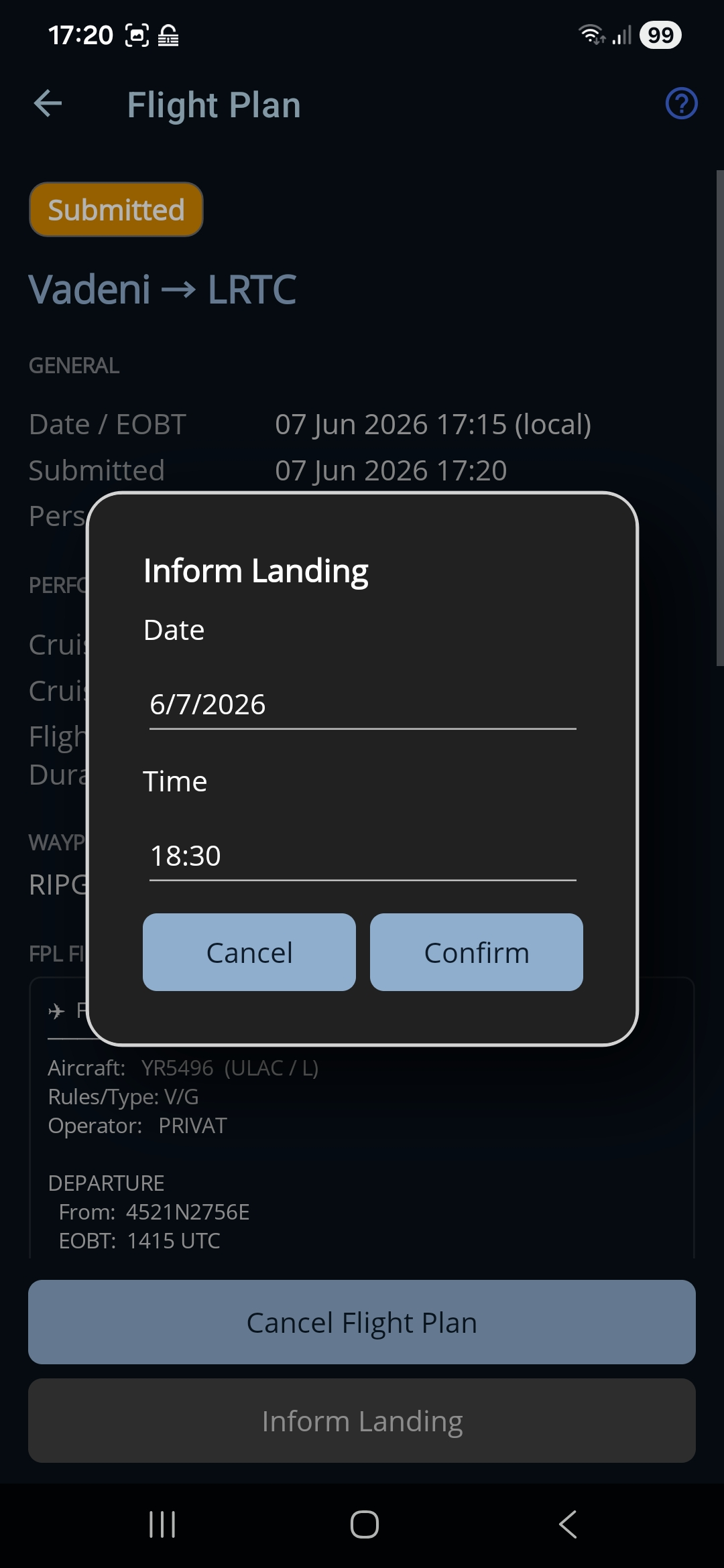
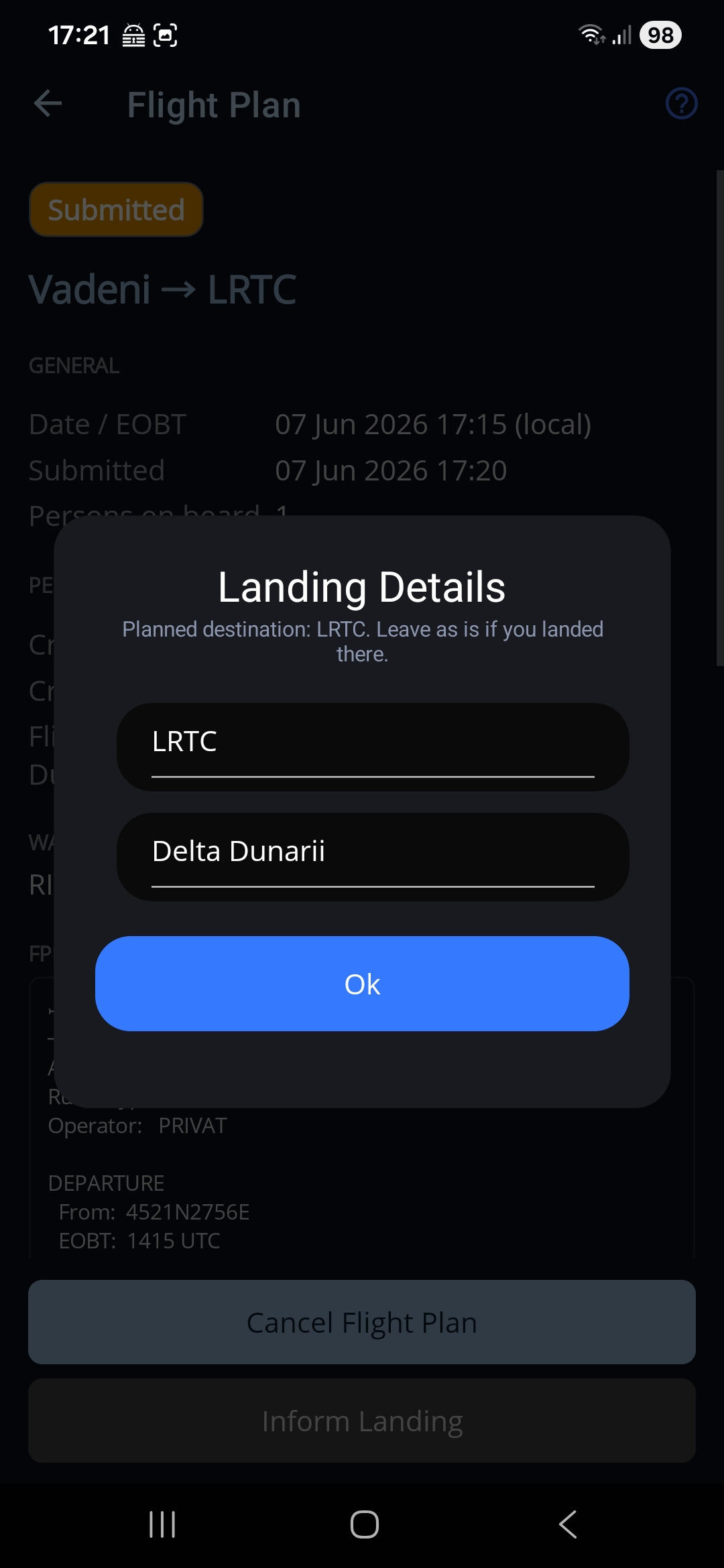
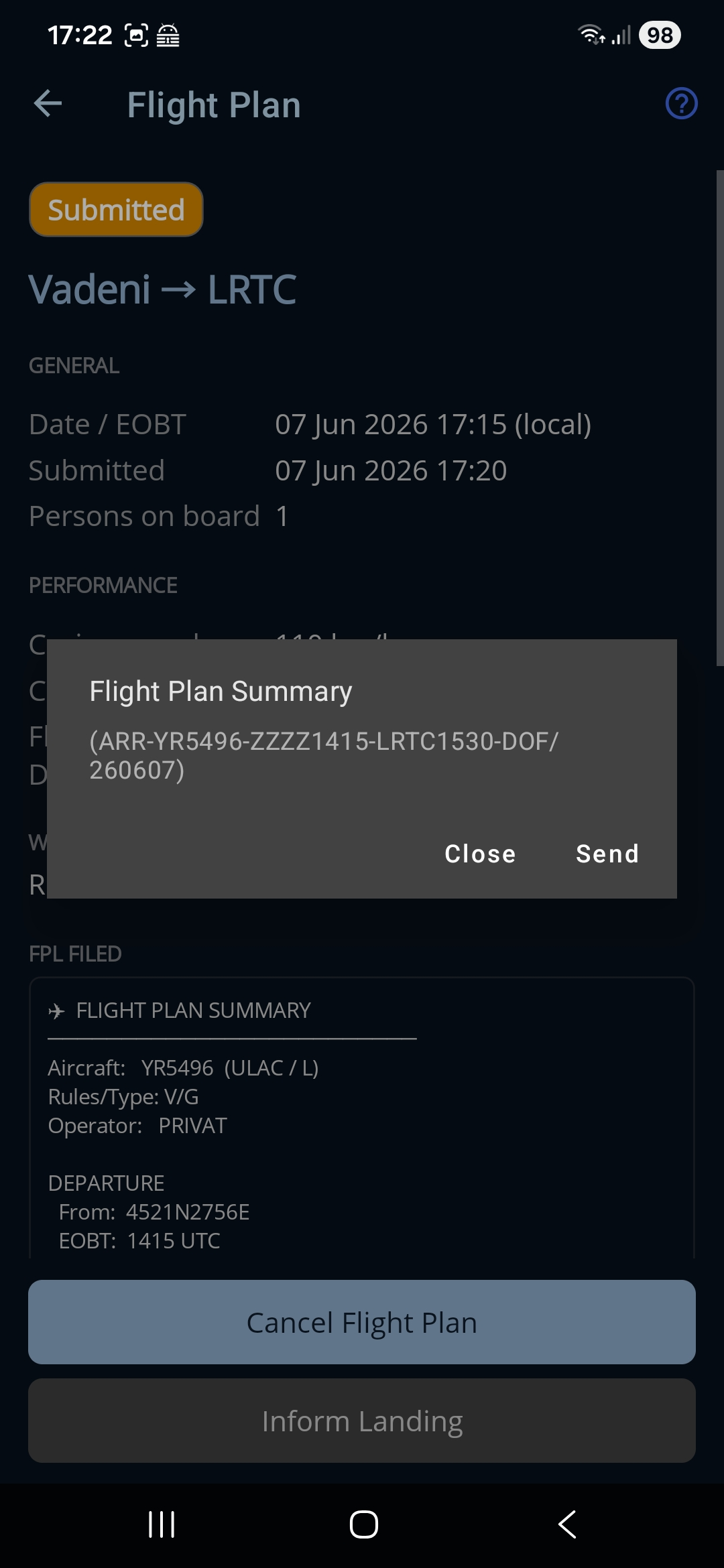
La un plan depus la AACR sunt două ferestre, nu trei: pasul Landing Details este sărit, fiindcă un raport de aterizare pe vfr.caa.ro nu duce cu el niciun aerodrom și nicio deviere — pur și simplu închide notificarea al cărei număr aplicația îl are deja.
← Înapoi la manual · Urmează: Go Fly (harta din timpul zborului) →